

ORACLE ELOQUA APPCLOUD APPS
The Missing Link Between Oracle Eloqua and Microsoft Teams Webinars
Register contacts, generate personal join links, sync registrants, and route follow-ups based on attendance — all from the Eloqua Campaign Canvas. No manual exports. No spreadsheet juggling. No broken workflows.

Already using Teams for webinars? Your marketing automation shouldn't stop at the invite.
Microsoft Teams is the obvious choice for webinars when your organization already runs on Microsoft 365 — no extra licenses for third-party platforms, no IT security reviews, no new vendor contracts. But while Eloqua has mature integrations for GoToWebinar and Zoom, Teams webinars have been a blind spot.
That means marketers doing Teams webinars today are stuck with manual workarounds: exporting CSV registration lists, copy-pasting join links, building clunky Program Canvas flows to approximate attendance tracking. Every webinar becomes a mini-project instead of a repeatable campaign step.
The Eloqua MS Teams Webinar App eliminates that gap. It gives you the same level of native campaign canvas integration you’d expect from a GoToWebinar or Zoom app — but purpose-built for Microsoft Teams Webinars.
HOW IT WORKS
Three canvas elements. One seamless workflow.
Step 1 - Register
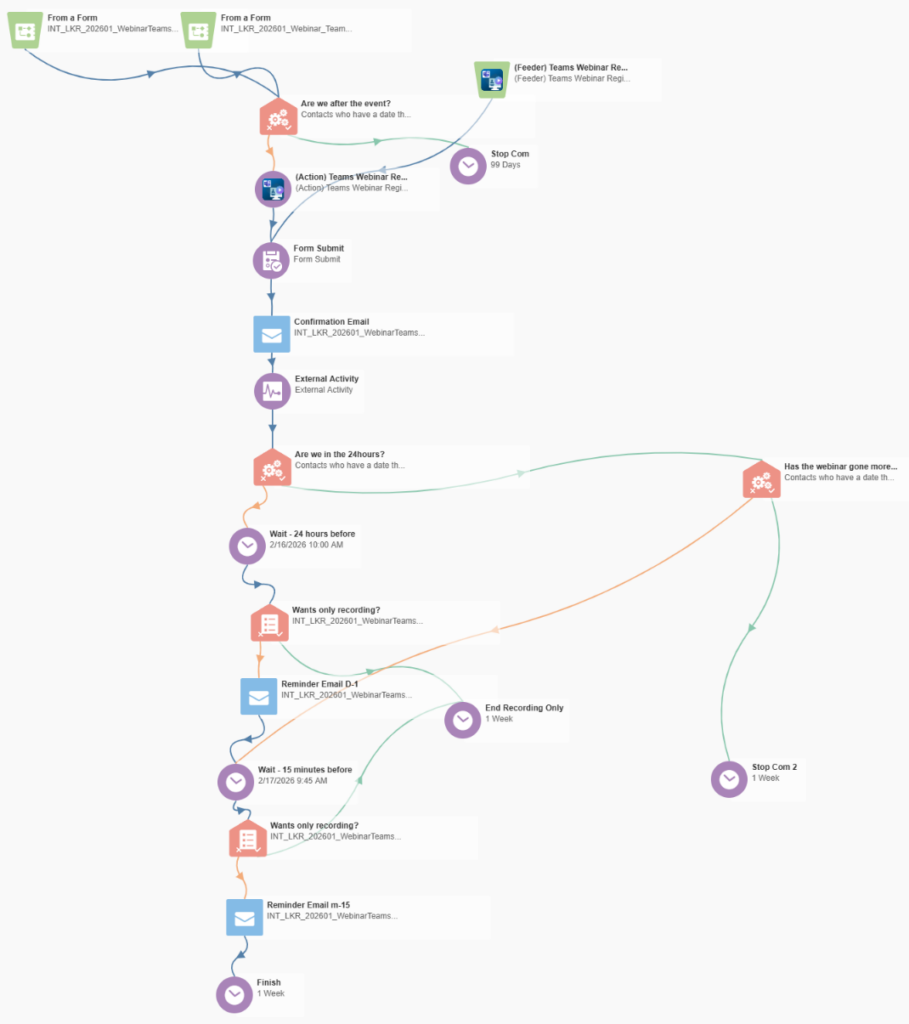
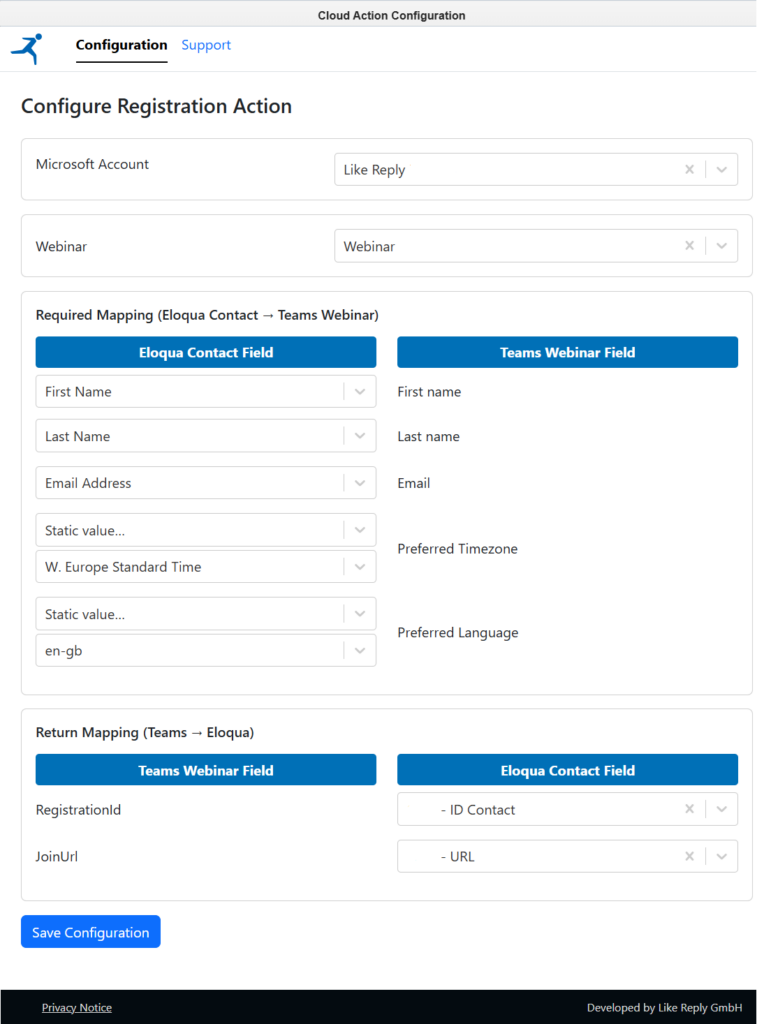
Drag the Teams Webinar Registration action onto your campaign canvas. Contacts flowing through the step are automatically registered in your Teams webinar via API. Each registrant receives a unique personal join link (JoinUrl) that maps back to a Contact Field in Eloqua — ready to use in confirmation and reminder emails.
Step 2 - Sync
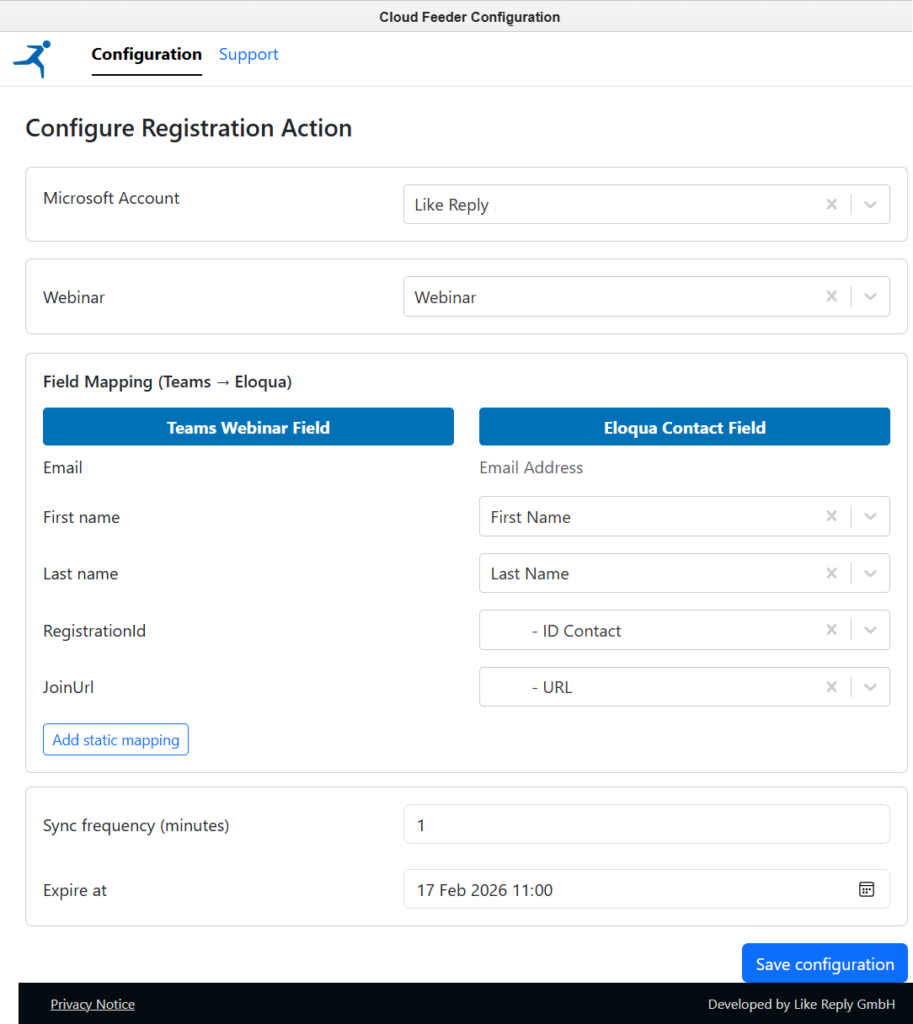
The Teams Webinar Registration feeder pulls registrants from Teams into Eloqua on a configurable schedule. No matter how someone registered — through your Eloqua landing page, the Teams registration page, or a direct link — they end up in your campaign. New contacts are created; existing ones are updated.
Step 3 - Route
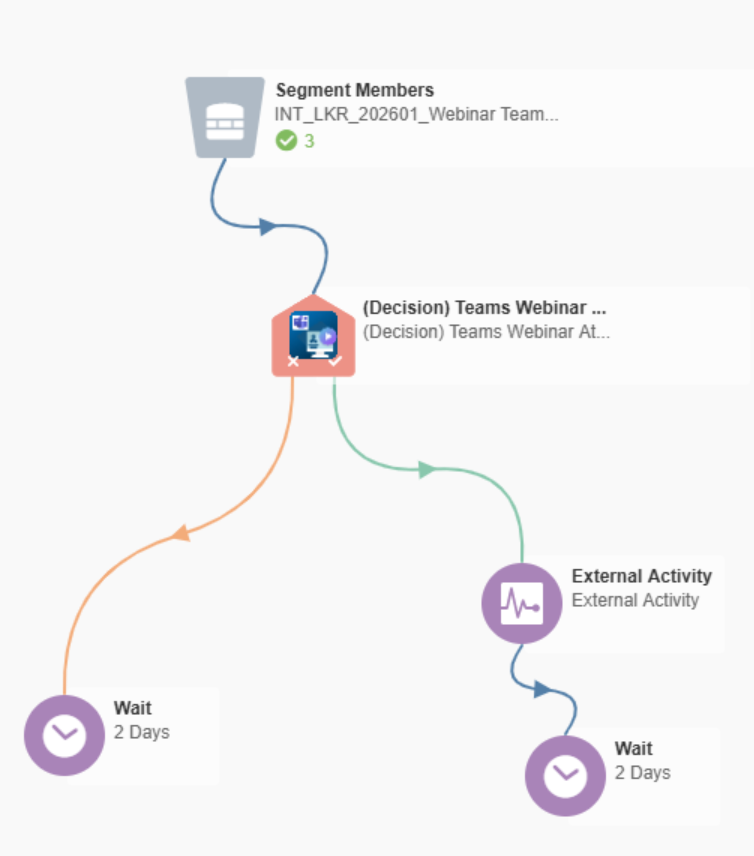
After the webinar, the Teams Webinar Attendance Check decision step queries attendance data from Teams. You set a minimum attendance threshold (in minutes). Contacts who met it go down the “Attended” path; everyone else goes down “Not Attended.” Thank-you emails, no-show nurtures, and post-event campaigns all fire automatically.
Built for marketers who run webinars at scale.
Contacts entering the campaign step are registered in Teams programmatically. Map Eloqua fields (first name, last name, email, timezone, language) to Teams fields directly in the configuration UI — no custom code required.
Each registration returns a unique JoinUrl from the Teams API, stored in a dedicated Eloqua Contact Field. Include it in your confirmation and reminder emails for a fully personalized attendee experience. For organizations running multiple webinars per contact, store links in a Custom Data Object (CDO) to preserve history.
The feeder doesn’t just pull contacts — it creates new ones and updates existing records. Set the sync frequency (e.g., every 15 minutes) and an expiration date. The Teams registration page stays active as a fallback, so even direct registrations are captured and synced.
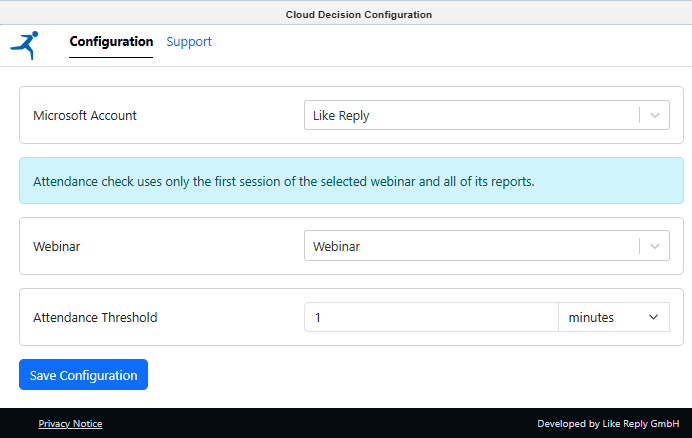
Configure a threshold in minutes. The decision step checks each contact’s attendance duration against the first session of the selected webinar and routes them accordingly. Build post-event journeys that differentiate between engaged attendees and no-shows — without ever leaving the campaign canvas.
Connect multiple Microsoft 365 tenants to a single Eloqua instance. Each campaign step selects which tenant to use via a dropdown. Ideal for organizations with regional Teams environments or agency setups managing multiple clients.
OAuth tokens are encrypted at rest (AES-256-GCM), the authorization flow uses HMAC-SHA256 signed state parameters, and no user passwords are stored. Data is isolated per Eloqua customer (scoped to Site ID). The app requests only VirtualEvent.Read.All — it cannot access email, calendar, files, chats, or any non-webinar data.
See it in action
Why Microsoft Teams Webinars?
If your organization already uses Microsoft 365, Teams Webinars are included in your existing license — no additional webinar platform costs. Teams supports up to 1,000 interactive attendees with built-in registration pages, Q&A moderation, live polling via Microsoft Forms, breakout rooms, and PowerPoint Live integration with presenter modes. Teams Premium adds advanced features like attendee name hiding, RTMP-In streaming, waitlist management, and customizable email communications.
With automatic recording, detailed attendance reports, and native integration with Outlook, SharePoint, and Power BI, Teams Webinars provide a complete event infrastructure that your IT team already trusts and supports.
The Eloqua MS Teams Webinar App makes this infrastructure available as a first-class citizen in your marketing automation — so you get the best of both platforms without compromise.
- Up to 1,000 interactive attendees
- Up to 10 co-organizers per event
- Built-in registration, Q&A, polling, and breakout rooms
- Included with Microsoft 365 E3/E5 licenses
Ready to connect Eloqua and Teams Webinars?
Fill out the form and we’ll get you set up — including the installation guide, admin walkthrough, and access to support.